
For medical stores and chemists
Medical Store Billing Software with Batch & Expiry
Enter the batch and expiry once, on the distributor's bill. From then on every sale takes the batch that expires first, an expired batch is never picked on its own, and the Expiring Stock report shows what to return or sell first.
- Batch, MFG and expiry on every purchase bill
- Earliest expiry first; expired batches never auto-picked
- Salt search, prescriptions and Schedule H1 register
- Strip and loose tablets from one item
What is Medical Store Billing Software?
Search by salt, take the doctor's details for H1 lines and keep the Schedule H1 register.
Sell a full strip or a few loose tablets from the same item, at a price that includes GST. Choose Chemist shop / Pharmacy when you sign up and VyapRise sets up the menus and the item form for a chemist. Batch & expiry and counter billing are part of Pro; try it free for 7 days.
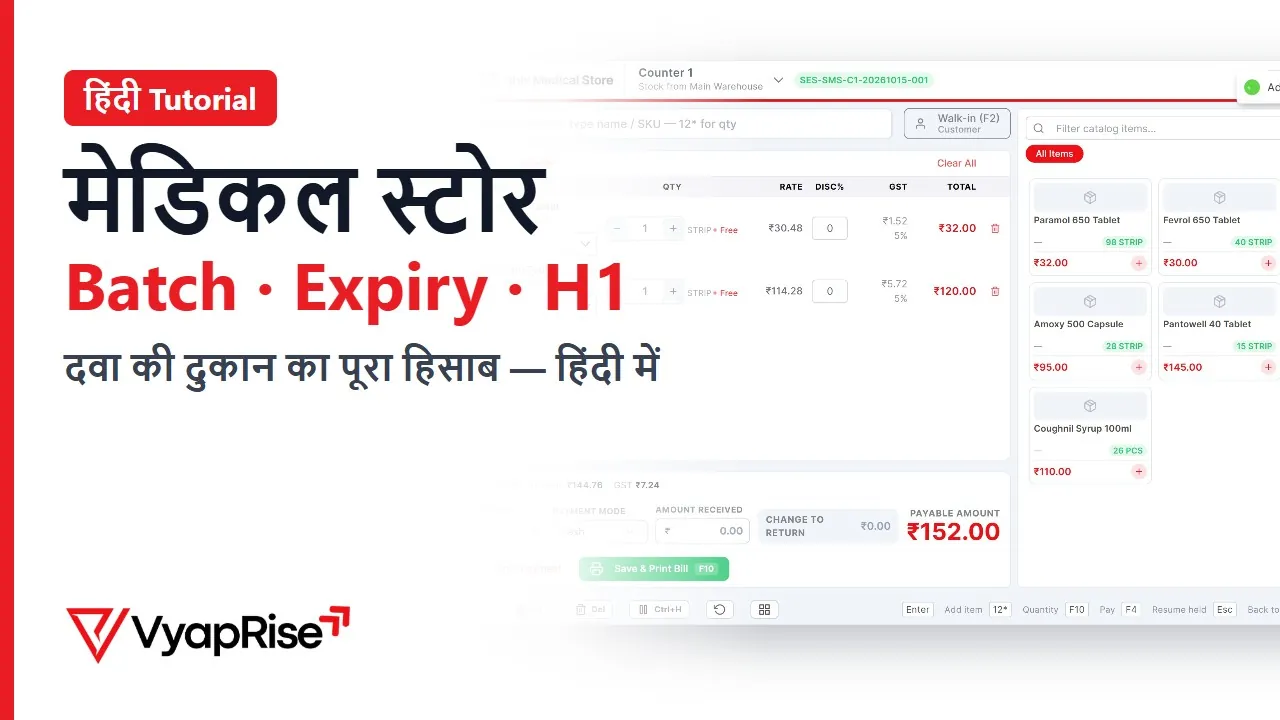
Watch the 2-minute demo
In Hindi, with subtitles. Recorded on a made-up shop, not a real customer.
What a medical store needs from billing software
Nine jobs a chemist's software has to get right, and how VyapRise does each one.
Batch and expiry on the purchase bill
When the distributor's stock arrives, enter each line's batch number, manufacturing date and expiry date on the purchase bill. The batch is created with its own stock, so you never type it again. Batch & expiry is a Pro feature.
Earliest expiry goes out first
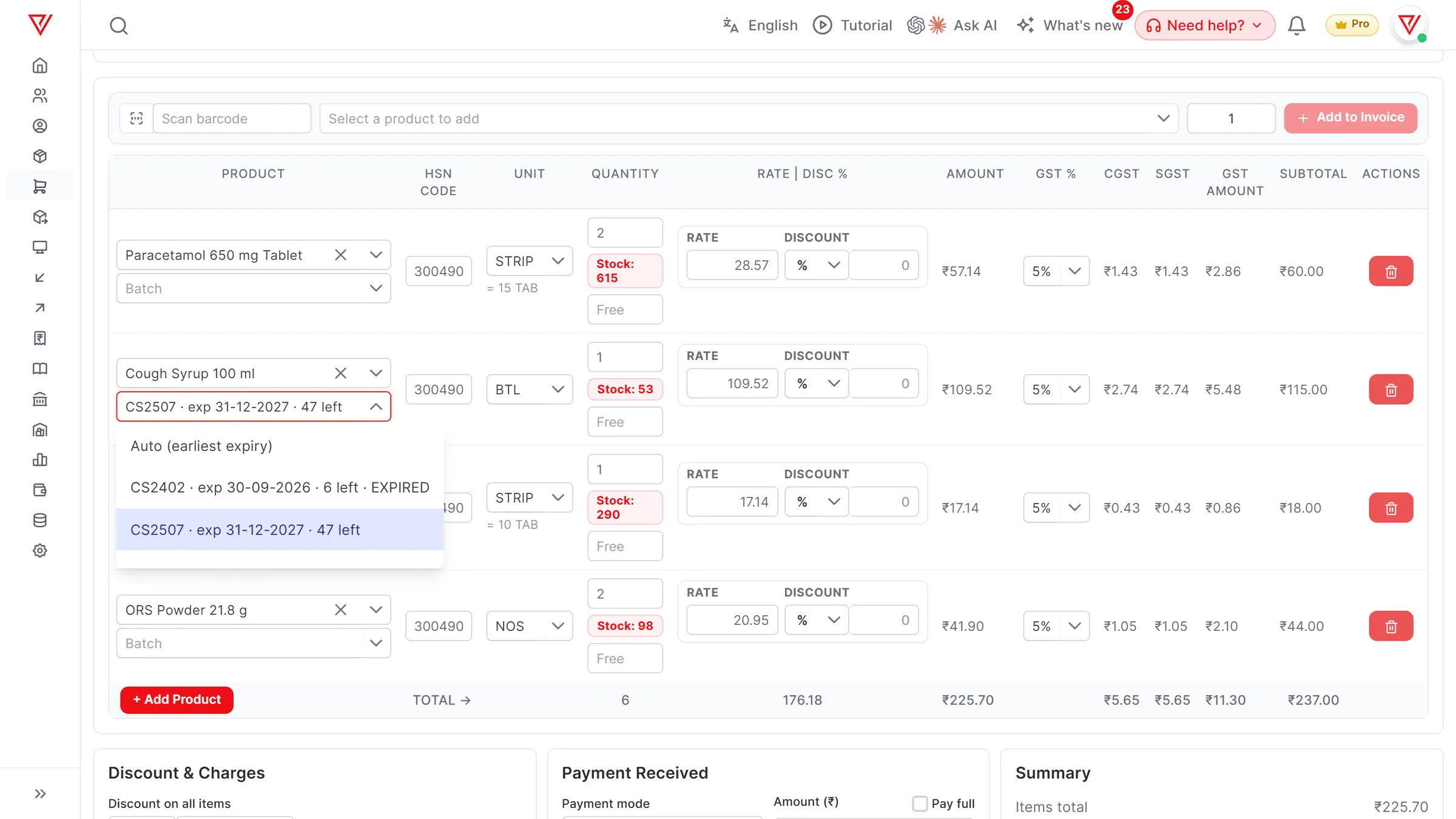
On the sale, the batch is set to Auto (earliest expiry), so the oldest stock leaves first and an expired batch is skipped. Open the list to see each batch with its expiry date and quantity left; a batch past its date is marked EXPIRED, and the bill refuses it if you pick it by hand.
Salt search and substitutes
Each medicine carries its salt or generic name, brand, schedule (OTC, H, H1, X) and rack. Search by salt to see every brand you stock; when one is out of stock, the counter offers in-stock substitutes with the same salt. Works on Free; the counter POS is Pro.
Prescriptions and the H1 register
When a chemist's bill has an H1 or X line, it asks for the doctor's name, registration number and the patient before it saves. Those sales make up the Schedule H1 register report. Works on every plan.
Strips and loose tablets
Keep stock in tablets and add a strip of 10 or 15 as another unit, with its own price if you like. Sell a whole strip or three loose tablets from the same item, and stock always counts in tablets. Other units work on every plan.
MRP-inclusive rates
Medicines are sold at a price that already includes GST. Mark the item's rate as inclusive and VyapRise works the 5% (or the item's own rate) back out of it on the bill, to the paisa.
GST rates on medicinesExpiry cycle, from report to return
The Expiring Stock report lists every batch expiring within the days you choose (90 by default, up to two years), with supplier and value. Stock expiring in 30 days also comes in the 8 am daily email. Return expired to supplier fills the purchase return, and the debit note keeps its claim status. All Pro.
Drug licence numbers on the bill
Your 20B / 21B licence numbers go in the company details and print on your bills. A buyer's licence number prints on the invoice, and on the challan and quotation (both Pro). VyapRise prints what you enter; it does not check the licence.
Fast counter billing
Scan the strip's barcode with any USB or Bluetooth scanner, or type two letters of the name. The counter POS picks the batch too, takes UPI and cash on one bill, and closes the shift with a cash count. The POS is part of Pro.
See the POS
One morning at a chemist's counter
Simple numbers, so you can follow exactly what the software does.
The item. Paracetamol 650 is set up with the unit TAB and another unit, STRIP = 15 TAB, priced at ₹30 a strip including GST. The rate is marked as including GST, and the item carries GST at 5%.
The distributor's delivery. You enter the purchase bill: 40 strips of batch PCM2409, manufactured 09-2026, expiring 08-2028. Because the line is in strips, stock goes up by 600 tablets. An older batch, PCM2311 expiring 10-2026, still has 45 tablets on the shelf.
The first customer. She needs two strips. On the bill you pick the item, choose STRIP and type 2: ₹60. The batch is on Auto (earliest expiry), so the 30 tablets come from PCM2311, the batch expiring this month. The bill shows ₹57.14 taxable and ₹2.86 GST, adding up to the ₹60 she pays.
A customer who wants five tablets. Same item, unit TAB, quantity 5. Stock falls by exactly five tablets, from whichever batch is set.
A prescription for an H1 antibiotic. The item is marked Schedule H1, so the bill asks for the doctor's name, registration number and the patient's name before it saves, and the sale appears in the H1 register. The next customer asks for a brand you have run out of: you search by its salt and bill a brand that is in stock.
Before the distributor's salesman visits. You open the Expiring Stock report for the next 90 days. PCM2311 has 10 tablets left expiring this month, and two other medicines are on the list. You press Return expired to supplier, check the purchase return it fills, and hand him the list instead of finding the boxes at the back of the shelf next year.
- Every sale reduces stock in tablets, whichever unit it was sold in.
- The batch each line came from stays on the invoice, so a sale can be traced to its batch later.
- Expired stock you send back goes on a purchase return (Pro); its debit note keeps the claim status until the supplier settles.
Pharmacy billing tasks and how VyapRise handles them
What a medical store does every day, where it is in VyapRise, and which plan it needs. Free is free forever; Pro is ₹1,499 per year.
| Task | How VyapRise handles it | Plan |
|---|---|---|
| Batch & expiry | Batch no., MFG and expiry on the purchase bill; earliest expiry picked on the sale; expired batches skipped and refused | Pro |
| Expiry check | Expiring Stock report with supplier and value; stock expiring in 30 days in the 8 am daily email. No SMS or WhatsApp alerts | Pro |
| Salt search | Salt / generic name, brand, schedule and rack on the item; search by salt; in-stock substitutes at the POS | Free (POS Pro) |
| Prescription and H1 register | Doctor, registration no. and patient required for H1 and X lines; Schedule H1 register report | Free |
| Strips and tablets | Other units with their own price; stock kept in the base unit | Free |
| MRP-inclusive pricing | Rate marked as including GST; tax worked back on the bill | Free |
| Counter billing | POS with batch picker, scan bar, UPI + cash split, shifts | Pro |
| GST invoice | HSN and GST on each line, UPI QR on the bill, 4 print layouts | Free, 10 a month |
| Drug licence numbers | Your 20B / 21B in company details; buyer's licence on invoice, challan and quotation. Printed, not validated | Free (challan and quotation Pro) |
| Purchase from distributor | Purchase bill with GST input, stock in, batch per line | Pro |
| Return to distributor | Return expired to supplier fills the purchase return; debit note with claim status | Pro |
| Low-stock list | Minimum level per item, Stock Alerts screen and bell | Free |
On Free you can make 10 sales invoices a month; a medical store billing every customer passes that in a day, so pharmacies use Pro.
Setting up your medical store
The work is your item list and the stock already on the shelves.
- 01
Choose Chemist shop / Pharmacy
When you sign up, pick Chemist shop / Pharmacy as your business type (wholesalers pick Pharma distributor). VyapRise turns on batch & expiry, other units, MRP, the salt and schedule fields and the counter, and hides what a chemist does not use. You can change any of it later.
- 02
Add your medicines
Import a spreadsheet of names, HSN, GST rate and prices, then open the fast movers to add the salt, schedule, rack and strip unit and mark rates as including GST.
- 03
Enter today's stock
Enter the stock already on your shelves as opening stock. Batches with expiry dates are created from purchase bills, so batch-wise tracking starts with your next delivery from the distributor; the item import does not read batch or expiry columns.
- 04
Bill from the counter
Open a POS shift or make invoices; each line takes the earliest-expiring batch unless you choose another.
Is VyapRise right for your medical store?
An honest answer before you spend an afternoon on setup.
A good fit if you
- Run a retail chemist or a small medical store and want batch-wise stock without a desktop install
- Want the oldest batch to go out first without checking boxes by hand
- Sell both full strips and loose tablets
- Need prescription details on H1 bills, a Schedule H1 register and search by salt
- Want a list of what expires in the next three months before the distributor visits
- Want purchases, stock, GST and customer ledgers in one place
Not a fit yet if you
Need expiry alerts by SMS or WhatsApp: VyapRise lists stock expiring in 30 days only in the daily email (Pro) and the Expiring Stock report. Drug licence numbers are printed as you enter them, not validated against any government database. Batches with expiry dates come from purchase bills (and goods receipts), so stock already on the shelf when you start has no batch dates; batch tracking begins with your next purchase, and the item import does not read batch or expiry columns. There is no native Android app and no offline mode: it runs in the browser and needs internet. If you are a pharma distributor, see distributor billing and compare carefully with VyapRise vs Marg.
Checklist before you choose pharmacy billing software
Whichever software you pick, test these with your own stock during the trial.
- Batch and expiry are entered once, on the purchase
- A sale takes the earliest-expiring batch on its own
- An expired batch cannot go out on a bill by mistake
- A strip and a loose tablet are sold from one item without breaking stock
- Rates can include GST, with the tax shown separately on the bill
- You can search by salt and find a substitute that is in stock
- H1 sales carry the doctor's details and print as a register
- You can list what expires in the next 90 days
- Expired stock can go back to the supplier with a proper return
- Your drug licence numbers print on the bill
- You know what happens when the internet goes down
Common questions
Does VyapRise track batch and expiry for medicines?
Yes, on Pro. Enter the batch number, manufacturing date and expiry date on each purchase bill line. On a sale the batch is set to Auto (earliest expiry), so the batch expiring first goes out first; the list shows each batch's expiry and quantity left, and expired batches are marked EXPIRED and never picked by Auto. The Expiring Stock report lists every batch expiring within the days you choose.
Can I sell loose tablets and full strips from the same item?
Yes, on any plan. Keep stock in tablets and add the strip as another unit (for example STRIP = 15 TAB), with its own price if you want. Choose the unit on the bill line; stock always reduces in tablets.
Will it warn me before medicines expire?
Yes, on Pro, by email and report. The 8 am daily email lists stock expiring in the next 30 days, and the Expiring Stock report shows every batch expiring within the days you choose (up to two years), with supplier and value. There are no SMS or WhatsApp alerts. On the bill, an expired batch is marked EXPIRED and Auto never picks it.
Is there a Schedule H1 register and prescription entry?
Yes, on every plan. Mark each medicine's schedule (OTC, H, H1 or X). On a chemist's bill, an H1 or X line needs the doctor's name, registration number and the patient before the bill saves, and the Schedule H1 register report lists those sales.
Can I search medicines by salt?
Yes, on every plan. Each item carries its salt or generic name, brand, schedule and rack. Search by salt to see every brand you stock; at the counter POS (Pro), an out-of-stock medicine offers in-stock substitutes with the same salt.
How much does medical store billing software cost on VyapRise?
Batch & expiry, the expiry email and the counter POS are part of Pro, at ₹1,499 per year, with unlimited users and no usage caps. Salt search, prescriptions and the H1 register work on Free too. Every new company gets 7 days of Pro free, no card needed. The Free plan allows 10 sales invoices a month, 30 items and 10 customers for the owner alone, which a busy medical store passes quickly; purchase bills are part of Pro.
Can I print my drug licence number on the bill?
Yes. Enter your 20B / 21B licence numbers in the company details and they print on your bills; a buyer's licence number prints on the invoice, and on the challan and quotation (both Pro). VyapRise prints what you enter; it does not check the licence against any database.
Related pages
- POS billing softwareThe counter screen: scan bar, shifts, UPI + cash.
- Inventory management softwareStock, batches, low-stock alerts and stock reports.
- Barcode billing softwareScanning and A4 barcode labels.
- GST rates 2026Medicines moved to 5%; life-saving drugs to NIL.
- VyapRise vs MargAn honest comparison for pharma.
- Customer ledgerCredit customers, statements and balances.
Put your medical store on VyapRise
Choose Chemist shop / Pharmacy, enter today's batches and start billing. Try Pro, with batch & expiry and the POS, free for 7 days; no card needed.